
Table of Contents
- Why Loungewear Works for Video Conferencing
- Best Loungewear for Zoom Calls: What to Choose
- Zoom Meeting Outfit Ideas for Women: Step-by-Step
- How to Look Professional on Zoom from Home
- Common Mistakes to Avoid
- Frequently Asked Questions
Last Updated: September 20, 2026
Why Loungewear Works for Video Conferencing
Video calls have changed how we dress. You're no longer confined to formal office wear. But showing up in actual pajamas sends the wrong message during professional meetings, which is why loungewear for zoom calls strikes the right balance.
The sweet spot is loungewear that looks intentional on camera. It's comfortable enough for working from home, but polished enough for client calls and team meetings. This balance matters more than most people realize.
Professionals want pieces that feel like self-care but photograph well on webcam. The right loungewear gives you both.
Best Loungewear for Zoom Calls: What to Choose
Not all loungewear works equally on camera. Fit, fabric, and color all affect how you look during video conferencing.
Elevated Knit Sets and Coordinated Pieces
Knit sets are your strongest choice for professional video calls. A matching top and bottom create visual harmony and read as intentional, not accidental.
Look for ribbed knit pieces in solid colors. They hold their shape better than loose fleece and photograph more crisply. The texture adds dimension without being distracting.
Coordinated pieces matter because they signal effort. Pairing a structured top with matching bottoms shows you've put thought into your appearance. This translates to confidence on camera.
The American Psychological Association research on appearance and confidence shows that dressing intentionally affects how you feel during professional interactions. Your loungewear choice influences both how others perceive you and your own mindset.
Layering Basics: Long-Sleeve Tops and Cardigans
Layering adds dimension and professionalism to any loungewear outfit. A long-sleeve base layer with a structured cardigan creates visual interest and breaks up solid colors.
The Women's Bamboo Lounge Long Sleeve T-Shirt from S&Y company works perfectly as a base layer. Its smooth bamboo fabric provides comfortable coverage while the long sleeves add a polished touch to your silhouette on camera.

Cardigans work particularly well because they frame your face and shoulders. They also give you flexibility. Unbutton it if you get warm, button it up for a more formal appearance. A zip-up hoodie like the Cozy Comfort Zip Up Hoodie Jacket provides similar versatility with added warmth.
Consider these layering combinations:
- Fitted long-sleeve tee with a structured cardigan
- Lightweight sweatshirt under an open blazer-style layer
- Ribbed knit top with a textured overshirt
- Solid base layer with a patterned or graphic top layer
Zoom Meeting Outfit Ideas for Women: Step-by-Step
Building a camera-ready outfit takes intentional choices. Follow these steps to create a polished look that works for video conferencing.
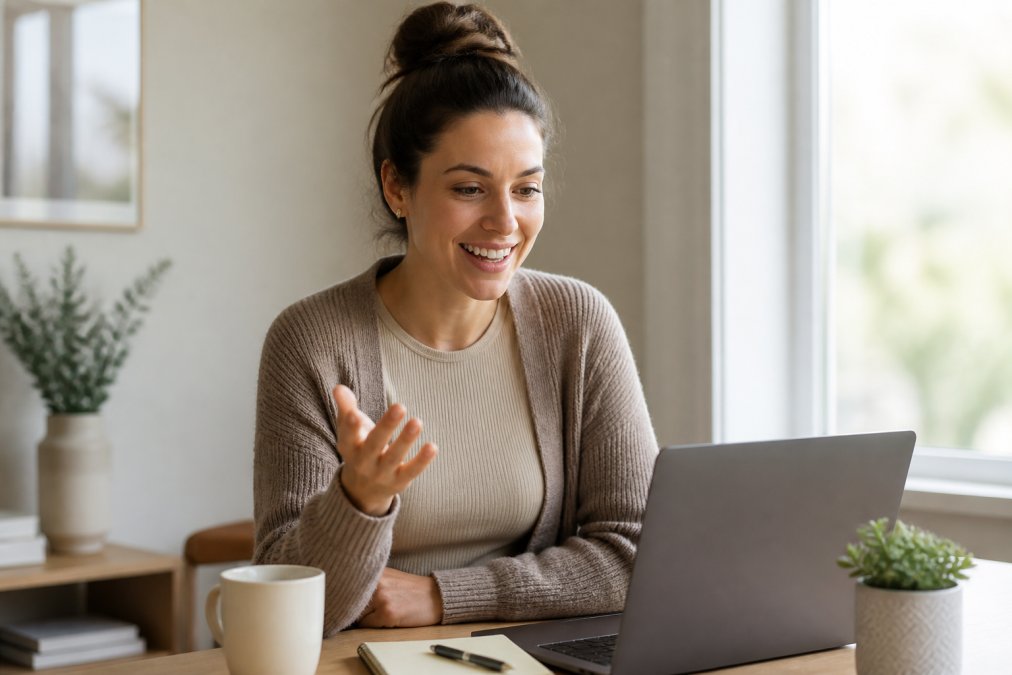
Step 1: Start with a Fitted Base Layer
Begin with a top that fits your body properly. Loose, oversized pieces disappear on camera. Fitted silhouettes show your shape and create a more polished appearance.
The Women's Bamboo Lounge Long Sleeve T-Shirt provides this fitted base. Bamboo fabric drapes smoothly without clinging, creating clean lines on camera. The long sleeves add coverage and formality compared to sleeveless options.
Your base layer should:
- Fit snugly through the shoulders and torso
- Have sleeves that don't bunch at the wrists
- Sit at your natural waistline
- Provide enough coverage for a professional setting
Step 2: Add a Structured Top or Cardigan
Layer a structured piece over your base to create visual interest and elevate the look. A cardigan, blazer-style layer, or structured sweatshirt adds dimension and professionalism.
The Lunar Essence Fleece Crew from S&Y company works as a statement layer. Its relaxed but structured fit and graphic design add personality while maintaining professionalism. The fleece interior keeps you cozy during long calls.

Your structured layer should:
- Have defined shoulders that sit properly on your frame
- Provide visual interest through texture, color, or design
- Complement your base layer without overwhelming it
- Allow movement so you don't feel restricted during calls
Step 3: Choose Your Neckline Strategically
Necklines frame your face on camera. This choice affects how your features appear and the overall professionalism of your look.
Crew necklines work for most face shapes and provide clean, professional lines. They keep the focus on your face without distraction. Henley-style necklines add casual sophistication. V-necklines elongate your face and work well if you have a rounder face shape.
Avoid necklines that:
- Sit too low for a professional setting
- Create shadows under your chin on camera
- Draw attention downward instead of to your face
- Feel uncomfortable when you're seated and leaning toward the camera
Step 4: Accessorize for the Camera
Accessories add polish without overwhelming your loungewear look. Keep them minimal and purposeful.
Gold hoops or simple jewelry catch light on camera without creating glare. A soft scarf adds color and texture. Avoid anything that jingles or moves excessively during calls.
Your accessories should:
Women's Bamboo Lounge Long Sleeve →
- Complement your color palette
- Not create reflections or shadows on your face
- Feel comfortable enough to forget you're wearing them
- Add intentionality to your overall appearance
How to Look Professional on Zoom from Home
Professional appearance on video calls depends on three technical factors most people overlook: fabric choice, color, and how your body sits in the frame.
Fabric and Fit Matter More Than You Think
Camera angles and lighting expose fabric choices. Thin, clingy materials show every movement and body contour. Structured fabrics with weight photograph better.
Breathable cotton blends perform well on camera. They hold their shape without looking stiff. Fleece and ribbed knits add texture that reads as intentional rather than accidental.
Fit affects how fabric behaves. A properly fitted piece sits smoothly without pulling or bunching. Oversized pieces create shapeless silhouettes. Tight pieces restrict movement and look uncomfortable.
Consider these fabric qualities:
- Medium weight holds shape better than lightweight
- Matte finishes photograph better than shiny materials
- Textured fabrics add visual interest on camera
- Breathable materials keep you comfortable during longer calls
Color Palettes That Work on Camera
Solid colors perform better on video conferencing than patterns. They photograph cleanly and keep attention on your face.
Neutral palettes including soft neutrals, warm grays, and muted earth tones work universally. These colors don't create harsh contrasts or color casts that affect your skin tone on camera.
Colors that photograph well:
- Soft whites and creams
- Warm grays and taupes
- Muted blues and greens
- Warm browns and tans
- Soft blacks (not pure black, which can look harsh)
Avoid these on camera:
- Bright whites that create glare
- Pure black that creates harsh contrast
- Busy patterns that distract
- Colors that clash with your skin tone
Posture and Silhouette for the Webcam
How you sit changes your silhouette dramatically. Poor posture makes loungewear look sloppy. Good posture makes it look intentional.
Sit upright with your shoulders back. This creates clean lines and shows your outfit properly. Slouching compresses your torso and makes fitted pieces look unflattering.
Position your camera at eye level or slightly above. This angle is most flattering and shows your outfit in proper proportion. Your loungewear pieces should frame your face and shoulders, not disappear below the camera line.
Camera positioning tips:
- Place your laptop or camera at eye level
- Sit about arm's length away from the camera
- Keep your shoulders relaxed but upright
- Position your chair so your torso is fully visible
- Ensure adequate lighting on your face and outfit
Common Mistakes to Avoid
Most people make the same styling errors when dressing for video calls. Knowing these pitfalls helps you avoid them.
Choosing oversized pieces. Comfort is important, but oversized loungewear disappears on camera. It reads as sloppy rather than intentional. Fitted pieces that allow movement photograph better.
Ignoring camera angles. Your outfit looks different on camera than in the mirror. Test your look on video before important calls. What works in person might not work on screen.
Forgetting about the lower half. Even if your lower body isn't visible, dressing completely makes you feel more professional. This confidence translates to how you present yourself on camera.
Pairing mismatched pieces. Random combinations of loungewear look accidental. Coordinated pieces or intentional layering look polished. Consider how colors and styles work together.
Neglecting fabric quality. Cheap, thin fabrics wrinkle easily and photograph poorly. Investing in quality pieces that hold their shape pays off during video calls.
Wearing distracting accessories. Jewelry that moves, jingles, or creates glare pulls focus from your face. Keep accessories minimal and purposeful.
Looking polished on video calls doesn't require formal office wear.
Frequently Asked Questions
What's the best color to wear on a Zoom call?
Solid colors photograph better than patterns on video conferencing platforms. Jewel tones (emerald, sapphire, burgundy) and warm neutrals (cream, camel, taupe) look polished on camera and complement most skin tones. Avoid pure white, which can cause glare, and neon shades, which appear oversaturated. Test your outfit in your actual lighting before the call to see how colors render on your webcam.
How do you look professional in loungewear?
Professional loungewear relies on fit, fabric quality, and layering. Choose pieces with structure: fitted bases paired with cardigans or blazers, elevated knit sets, or long-sleeve tops in breathable cotton or bamboo blends. Ensure nothing is oversized or baggy from the shoulders up, since that's what the camera captures. Add a simple necklace or hoops to signal intentionality, and sit upright to create a polished silhouette.
Can you wear hoodies on professional Zoom calls?
Standard hoodies read as too casual for professional video conferencing. However, structured zip-up hoodie jackets with tailored details can work if they're styled intentionally. Pair a fitted hoodie with a collared shirt underneath and keep the zip partially open to show layering. Avoid graphic hoodies and oversized styles. When in doubt, opt for a cardigan or blazer instead, which signal professionalism more clearly on camera.
What should I wear on the bottom for a Zoom call?
Since viewers only see from the waist up, comfort matters more than formality for bottoms. Wear whatever makes you feel confident: joggers, drawstring pants, or leggings. The key is sitting comfortably without fidgeting, which reads as nervous on video. Choose bottoms in neutral colors that match your top's palette. If you stand up during the call, ensure they're polished enough to match your upper half, a common mistake is pairing a professional top with pajama bottoms.